歡迎使用 FlexiSPY!以下是如何設定 Extreme
保護您的帳戶
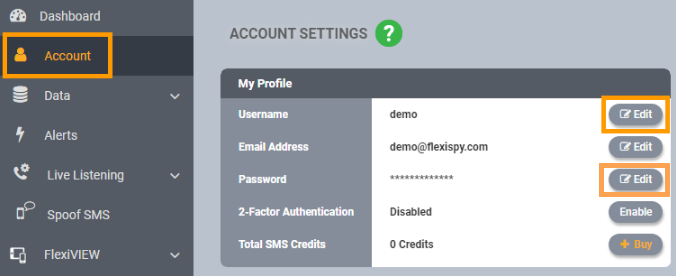
- 更新您的使用者名稱和密碼為容易記住的內容
- Account > Username / Password > Edit
- 啟用雙重驗證(2FA)
Account > 2-Factor Authentication > Enable
設定核心功能
- 設定 Spy Call(適用於未 Root 的三星裝置)
- 依照此處提供的步驟 here。
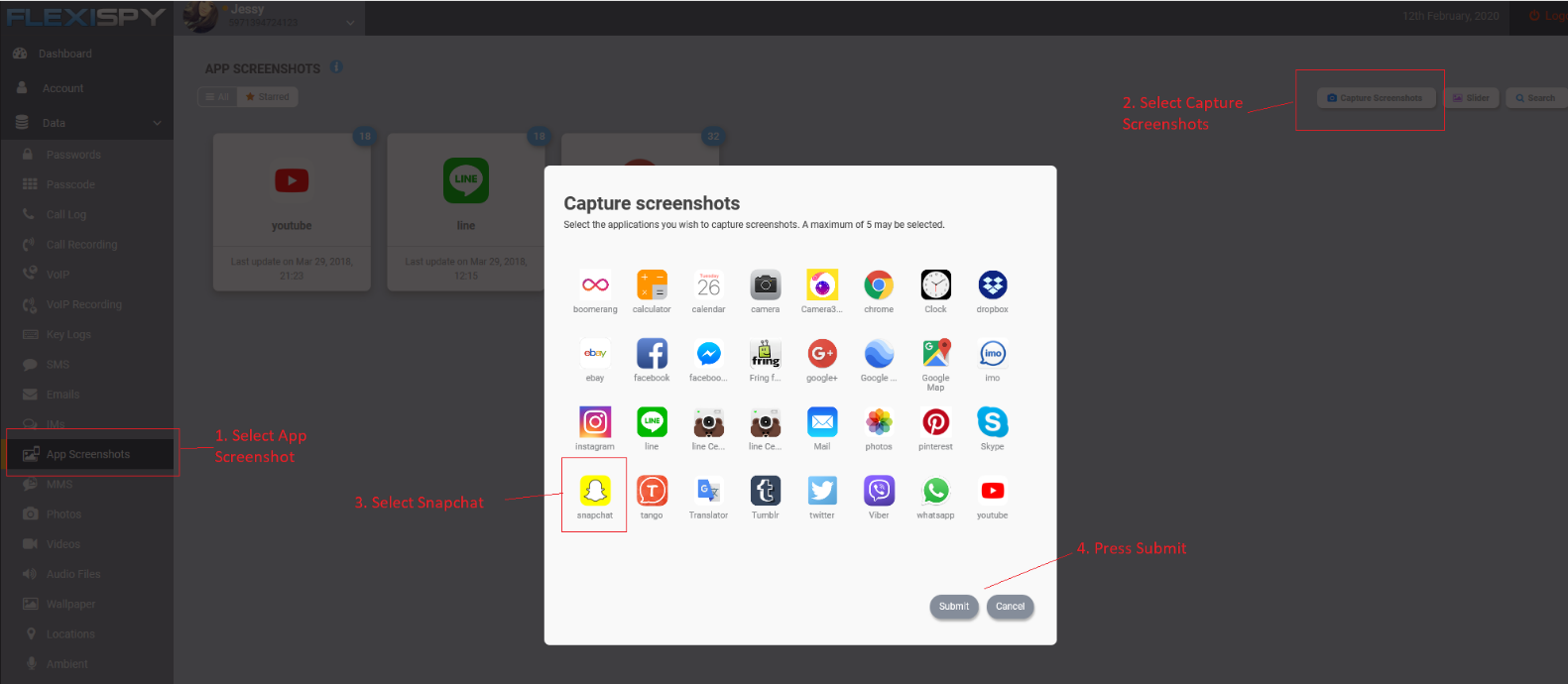
- 設定 App 截圖
- Data > App Screenshots > Capture Screenshots > Select App > Submit
- 設定 警示
- 了解更多 here。
- 設定 位置追蹤
- 了解更多 here.
- Geo-Fencing
- 請參考上方的「設定警示」
- 另一種方式是使用 FlexiVIEW 應用程式。了解更多 here。
- 設定 Ambient Recording
- 了解更多 here。
- 設定 每日摘要報表電子郵件
Reports > 將每日摘要 ON 或 OFF
下載 FlexiVIEW
- 依照此處的說明下載並安裝 FlexiVIEW here。